Save ChatGPT, Claude & web selections as clean PDFs — locally
Multi-select the blocks you need from AI chats and webpages. Export clean PDF or Markdown. Build a searchable library in your browser — no account, no cloud.
Also on Microsoft Edge Add-ons
The problem
AI chats and bookmarks bury the good parts
Native Print → PDF dumps sidebars and UI chrome. Full-chat exporters save everything. Bookmarks rot. You need the selections that matter — in a file you can keep.
Long ChatGPT / Claude threads
Useful answers and code get buried. Exporting the whole chat is noisy; copy-paste into docs is tedious and ugly.
Messy webpage PDFs
Browser print keeps ads, nav, and broken layouts. You want selected paragraphs and code blocks — not the chrome.
Nowhere searchable later
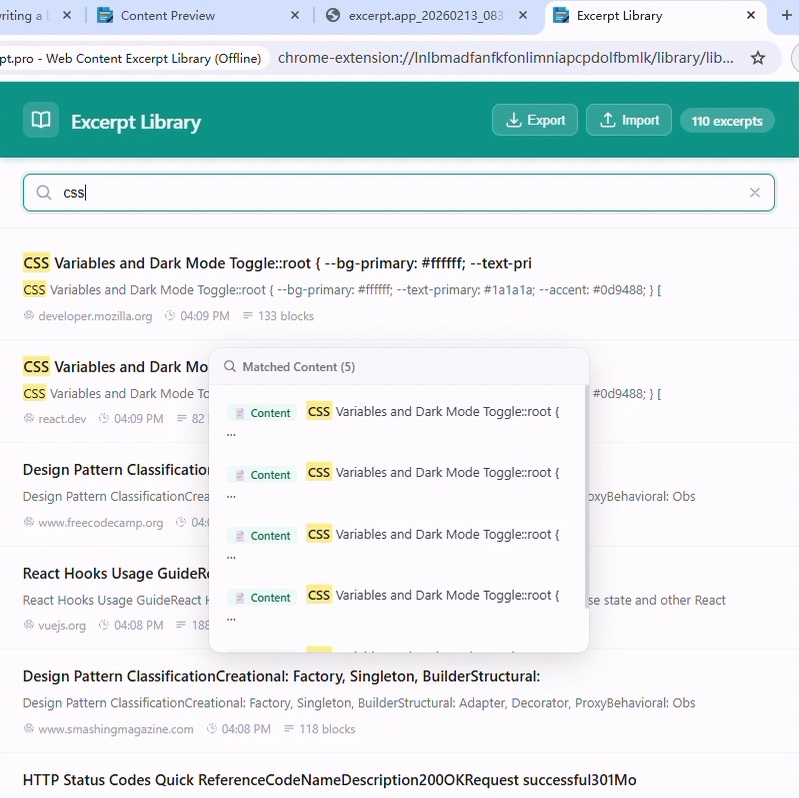
Downloads scatter across folders. Excerpt keeps clips in a local IndexedDB library you can full-text search offline.
Features
Built for selective AI export & clean web clips
ChatGPT, Claude & Gemini → clean PDF
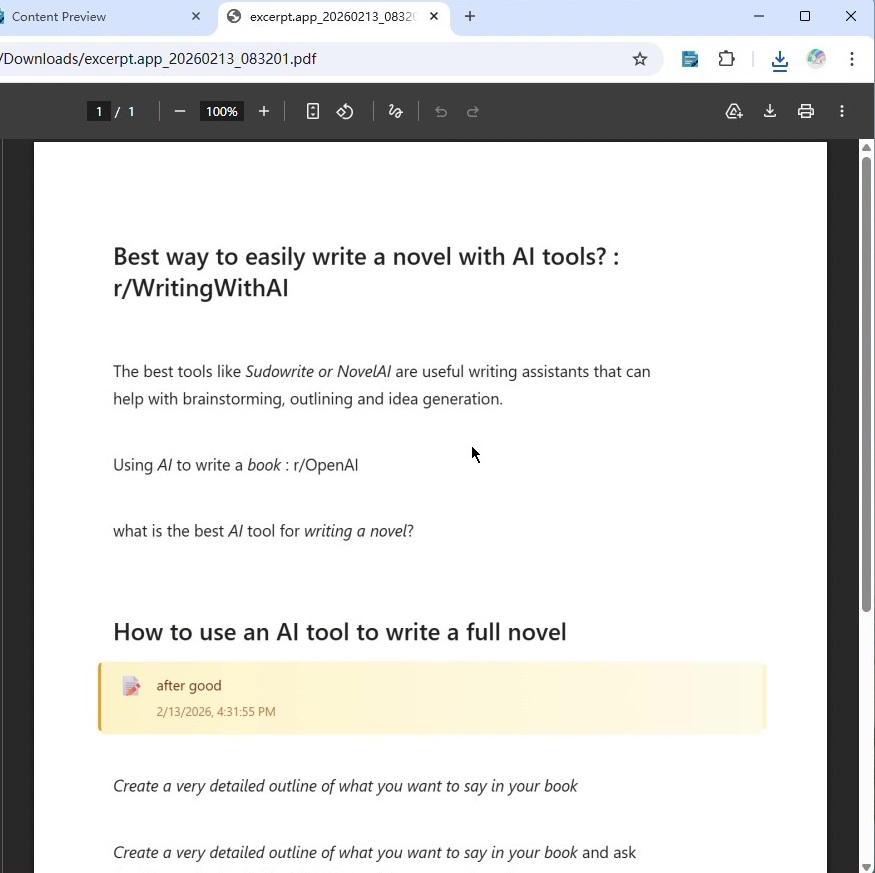
Click the blocks you want from AI conversations. Export distraction-free PDF or Markdown — without the chat UI noise.
Multi-select web clipper
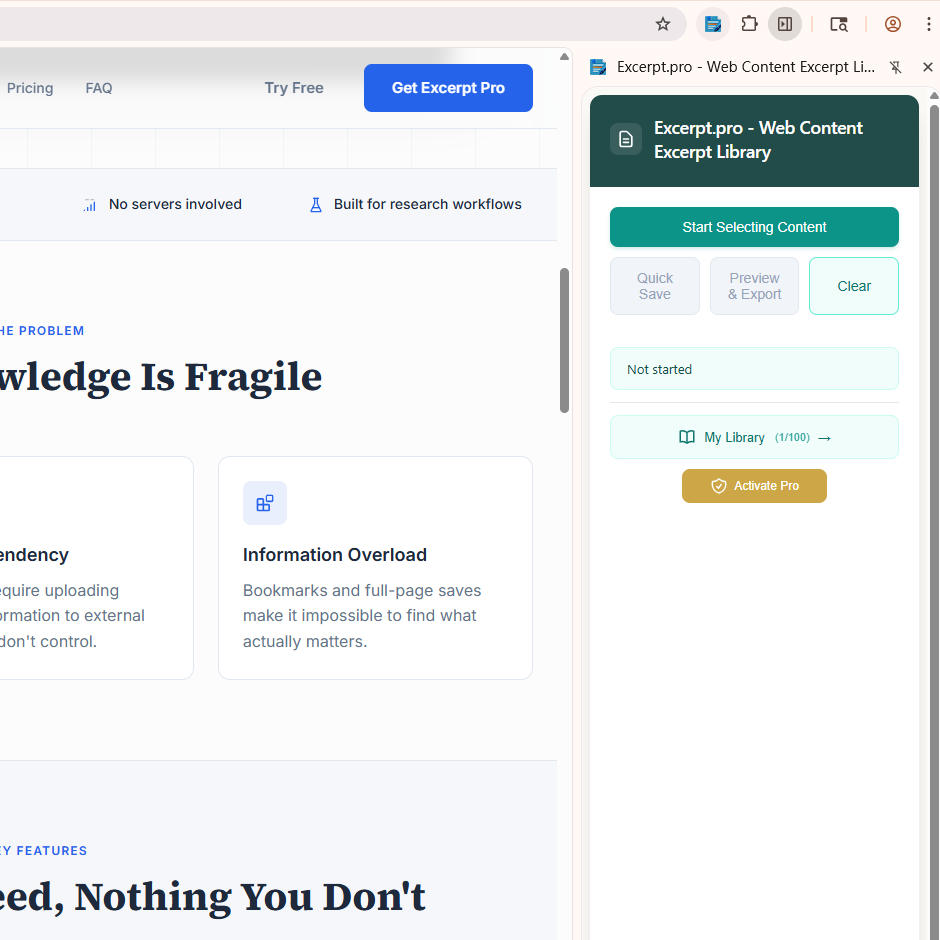
Select multiple paragraphs, headings, code, and images on any page. Skip sidebars and ads. One clean export.
Local searchable library
Clips stay in IndexedDB with full-text search, tags, and notes. Works offline. Free: 100 clips / 5 tags.
PDF & Markdown export
Arrange clips in preview, then export a readable PDF for annotation apps — or Markdown for Obsidian and notes tools.
Privacy by design
No login for the local library. No cloud sync yet. Your reading stays on your machine — a differentiator, not a slogan.
Pro backup import / export
Clearing browser site data wipes IndexedDB. Pro adds bulk backup so you can restore your library after a reset or new device.
How it works
Three steps from chat or page to PDF
Multi-select what matters
On ChatGPT, Claude, Gemini, or any webpage, click the text blocks, code, or images you want — skip the rest.
Export clean PDF or Markdown
Preview, reorder, add notes and tags, then export a distraction-free PDF or Markdown file.
Search your local library
Clips stay in your browser. Full-text search finds them later — offline, no account.
Product preview
See Excerpt in action
Pricing
Free to start. Pro is $29 once.
No subscription for local Pro. Upgrade in the extension when you need unlimited clips and backup.
Excerpt Free
Selective capture, PDF/Markdown export, and local search.
- Multi-select AI chats & webpages
- Clean PDF & Markdown export
- Full-text search (local)
- Up to 100 clippings · 5 tags
- No account required
Excerpt Pro
Unlimited library + backup. Buy inside the extension.
- Everything in Free, plus:
- Unlimited clippings
- Unlimited tags
- Bulk backup import & export
- Lifetime local license
Prefer Edge? Install from Microsoft Edge Add-ons. Pro is purchased in-app after install.
FAQ
Frequently asked questions
Yes. Multi-select the answers, code, or turns you need from ChatGPT, Claude, Gemini, and similar AI chats, then export a clean PDF or Markdown — without the full chat UI.
No. Clippings stay in your browser’s IndexedDB. There is no account for the local library and no cloud sync today.
No. Install from the Chrome Web Store or Edge Add-ons and start clipping. Sign-in is not required for local use.
Yes. Clearing site data or IndexedDB removes the local library because nothing is stored on our servers.
Excerpt Pro includes bulk export/import backup. Back up regularly to a file (or your own drive) so you can restore after a wipe or device change.
No for local Pro. Pro is a $29 one-time purchase for unlimited clippings, unlimited tags, and backup import/export. Free stays free.
Optional cloud sync may appear later as a separate product; local Pro does not turn into a subscription.
You can still capture and export PDFs. The in-browser searchable library is capped at 100 clippings and 5 tags on Free. Pro unlocks unlimited storage, unlimited tags, and backup.
Install Excerpt and save your next ChatGPT answer as a clean PDF
Free to try — multi-select AI chats and webpages, export PDF/Markdown, search locally.